
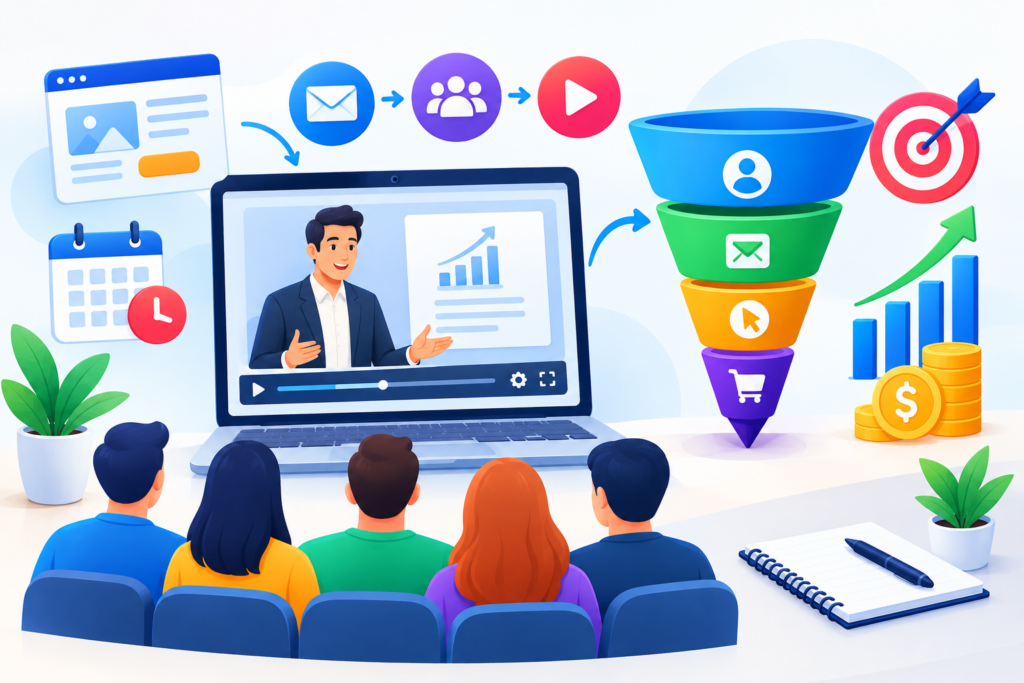
Learn how to build high-converting webinar funnels that attract qualified leads, increase registrations, nurture prospects, and turn webinar attendees into customers with practical strategies and optimization techniques.
Introduction
A webinar can be an effective way for businesses to educate their audience, demonstrate expertise, and build trust before introducing a product or service. Unlike a short advertisement, a webinar gives the presenter time to explain a complex problem, demonstrate practical solutions, answer questions, and help potential customers understand their options. However, a successful presentation alone does not guarantee registrations, attendance, or sales. Without a structured process, a business may attract visitors who never register, registrants who forget to attend, or attendees who do not understand what to do next.
This is where webinar funnels become valuable. A webinar funnel connects every stage of the customer journey, from attracting the right audience and encouraging registrations to delivering valuable content and guiding interested prospects toward a relevant next step. That next step might be booking a consultation, purchasing an online course, requesting a service demonstration, downloading a resource, or joining a training program. Instead of treating the webinar as an isolated event, the funnel creates an organized experience that supports both the audience and the business.
In this comprehensive guide, MyFunnelScript explains how to build a webinar funnel from the foundation up. You will learn how to research your audience, choose a webinar format, create a strong topic, design a registration page, build an email reminder sequence, and prepare a valuable presentation. The guide also covers promotion, automation, conversion optimization, common mistakes, and practical best practices. Whether you are a coach, consultant, course creator, agency owner, or digital marketer, these strategies can help you create a more organized webinar experience.
What Are Webinar Funnels and Why Do They Matter?
A webinar funnel is a connected marketing and sales journey that moves a potential customer from discovering a webinar to registering, attending, engaging with the presentation, and taking a relevant next action. It brings together promotional campaigns, registration pages, email communication, webinar delivery, and follow-up activities into one organized system. Instead of relying on a single presentation to generate results, the business creates a process that supports the audience before, during, and after the event. This structure makes the customer journey easier to understand and gives the business a way to identify opportunities for improvement.
A typical webinar funnel begins when someone discovers a webinar through an article, social media post, email invitation, search result, advertisement, or referral. The visitor then reaches a landing page that explains the webinar topic, intended audience, benefits, date, and registration process. After submitting the form, the registrant receives confirmation and reminders. The webinar provides educational content, practical examples, and a relevant next step. Afterward, follow-up emails and additional resources help attendees continue their journey. Each stage has a purpose, and the stages should work together rather than operate independently.
The importance of webinar funnels comes from their ability to combine education with relationship building. A potential customer may not understand a complex service after reading a short advertisement. A useful webinar gives the presenter time to explain the problem, introduce a framework, demonstrate a solution, and answer questions. For example, a business owner who struggles with lead generation may register for a presentation about building an effective sales funnel. During the webinar, the presenter can explain landing pages, email nurturing, customer journeys, and conversion tracking. The attendee then has a clearer understanding of the subject and can decide whether further help is appropriate.
A webinar funnel should not be judged only by the number of registrations. A large audience does not automatically mean that the funnel is successful. The business should consider whether attendees are relevant to the offer, whether they engage with the presentation, and whether they take meaningful next steps. A free educational webinar may have different goals from a high-ticket consulting webinar or a product demonstration. Understanding these differences helps the business select appropriate metrics and create a customer journey that matches its objectives.
The Core Stages of a Webinar Funnel
1. Audience attraction
Use content, advertising, email, and referrals to reach relevant people.
2. Webinar registration
Use a focused landing page and simple registration form.
3. Attendee preparation
Send confirmation details, reminders, and useful pre-event information.
4. Webinar delivery
Teach valuable content and provide relevant audience interaction.
5. Follow-up and next action
Provide replay access, answer questions, and guide interested prospects.
The foundation of a successful funnel is understanding that every stage should support the audience’s needs. The promotional message should match the registration page, the registration page should match the webinar content, and the webinar should match the follow-up offer. When these elements are connected, the experience becomes clearer and the business can identify where improvements are needed.
Understanding Your Target Audience Before Building the Funnel
Audience research is one of the most important steps in creating an effective webinar funnel. Before choosing a title, designing a landing page, or planning an email campaign, the business should understand who it wants to attract. This means identifying the audience’s challenges, goals, knowledge level, and reasons for looking for a solution. Basic demographic information may provide context, but it does not always explain why someone would register for a webinar. A better approach is to understand the specific problem that the audience wants to solve.
For example, a consultant offering sales funnel services may want to reach small business owners who receive website traffic but struggle to generate leads. Some may have a landing page but no email follow-up. Others may run advertisements without knowing which campaigns produce qualified customers. A broad webinar title such as “Grow Your Business Online” may not communicate a clear benefit. A more focused topic, such as “How to Turn More Website Visitors Into Qualified Leads,” gives the audience a clearer reason to attend. The title should reflect a genuine problem that the presentation can help explain.
Audience research can come from customer conversations, sales calls, support questions, surveys, website analytics, and feedback on existing content. Pay attention to the words people use when describing their challenges. If prospects repeatedly ask why their landing page receives visitors but few form submissions, that question can help shape the webinar. If they want to understand the cost of implementing a sales funnel, the presentation may need to explain priorities, resources, and different levels of complexity. Real questions are often more useful than assumptions about what the audience wants.
It is also important to understand the audience’s awareness level. Beginners may need a basic explanation of webinar funnels, lead generation, and email nurturing. Experienced marketers may want to learn about automation, attribution, segmentation, or conversion optimization. A presentation that tries to satisfy every level of knowledge may become too basic for experts and too complicated for beginners. Defining the intended audience helps the presenter select the right examples, vocabulary, and teaching depth.
Questions to Answer During Audience Research
What problem is the audience trying to solve?
The webinar should address a real challenge that matters to the intended attendees.
What result would make the webinar valuable?
Identify the knowledge, framework, or practical improvement that the presentation can realistically provide.
What solutions have they already tried?
Understanding previous attempts can help the presenter address common frustrations and explain alternatives.
What objections prevent them from taking action?
These may include cost, complexity, lack of time, uncertainty, or concerns about implementation.
What level of knowledge do they have?
Choose examples and explanations that match the audience’s experience.
What would make them trust the presenter?
Useful teaching, accurate information, relevant experience, and transparent communication can strengthen credibility.
What next step would genuinely help them?
The follow-up offer should be relevant to the audience’s needs rather than chosen only because it is available.
A useful audience profile should guide the entire funnel. It should influence the webinar title, landing page, promotional message, presentation structure, and follow-up strategy. When the audience’s needs are understood, the funnel becomes more relevant and less dependent on generic marketing language.
Choosing the Right Webinar Format for Your Business
The webinar format affects how the presentation is delivered, how much preparation is required, and how the audience interacts with the presenter. There is no universal format that works for every business. A live webinar may be suitable when the subject benefits from questions, discussion, or real-time demonstrations. An automated webinar may be useful when the business wants to provide a repeatable educational experience at different times. A hybrid format can combine recorded teaching with live interaction. The right choice depends on the topic, audience, resources, and business goals.
Live Webinars
A live webinar takes place at a scheduled time, with the presenter and attendees participating together. This format is useful for coaches, consultants, educators, and service providers whose audiences may have detailed questions. The presenter can explain difficult concepts, respond to objections, and adapt the discussion based on audience feedback. Live interaction may also help the presenter understand what attendees find confusing or valuable.
Live webinars require preparation. The presenter needs a clear agenda, reliable webinar software, suitable audio and video equipment, and a plan for handling technical problems. A rehearsal can help identify timing issues, confusing slides, and gaps in the explanation. It is also useful to prepare answers to likely questions while leaving enough flexibility for genuine audience interaction.
Automated Webinars
An automated webinar uses a recorded presentation that is delivered through a scheduled or on-demand experience. Depending on the system, visitors may select a viewing time or access the presentation immediately. This format can support audiences in different time zones and reduce the need for the presenter to repeat the same presentation.
Automation should not create misleading expectations. If a recorded presentation is presented as a live event, attendees may expect real-time interaction. Businesses should clearly explain whether the webinar is live, recorded, or hybrid. Information about replay access, questions, support, and offers should also be accurate.
Hybrid Webinar Experiences
A hybrid webinar combines recorded educational content with a live question-and-answer session, workshop, or consultation opportunity. This approach can provide the consistency of recorded teaching while preserving some personal interaction. For example, a business may offer a recorded training presentation followed by a scheduled live Q&A.
| Webinar format | Useful when | Important consideration |
|---|---|---|
| Live webinar | Real-time questions and discussion matter | Requires presenter availability |
| Automated webinar | Flexible and repeatable education matters | Must communicate the format clearly |
| Hybrid webinar | Recorded teaching plus live interaction is useful | Requires coordination |
The webinar format should support the audience’s learning experience rather than simply the business’s automation goals. A technically efficient funnel can still create a poor experience if the presentation is difficult to follow, the format is unclear, or attendees do not receive the interaction they expected.
Creating a Strong Webinar Topic and Value Proposition
The webinar topic influences whether the right audience notices the promotion and decides to register. A strong topic connects a specific audience problem with a useful learning outcome. It should be clear enough that visitors understand what the presentation is about without interpreting vague marketing language. Topics that promise a practical explanation, framework, demonstration, or process often give potential attendees a clearer reason to participate.
A useful webinar title answers three questions: Who is the webinar for? What problem will it address? What will attendees learn? For example, “How to Build a Sales Funnel That Turns More Visitors Into Leads” communicates a subject, a target audience, and a practical outcome. By contrast, a title such as “Unlock Your Business Potential” may sound positive but does not explain what the audience will learn. Clear wording helps visitors decide whether the webinar is relevant to them.
The value proposition should be realistic and supported by the presentation. A webinar can teach a process, provide a framework, demonstrate a method, or explain important considerations. It should not promise guaranteed revenue, instant success, or results that depend on circumstances outside the presenter’s control. A business can say that attendees will learn how to identify funnel bottlenecks and improve their measurement process. It should avoid claiming that every attendee will double their sales after watching the webinar.
Examples of Webinar Topics
Sales Funnel Strategy
How to Identify and Fix the Biggest Problems in Your Sales Funnel.
This topic is suitable for business owners who want to improve lead generation and conversion.
Digital Marketing Analytics
How to Understand Your Marketing Numbers and Make Better Campaign Decisions.
This topic is suitable for marketers who want a clearer view of campaign performance.
Online Course Creation
A Practical Framework for Planning and Launching Your First Online Course.
This topic is suitable for beginners who need structure before creating a course.
A webinar topic should also align with the product or service offered afterward. If the presentation teaches beginners how to organize their marketing, the follow-up offer might be a beginner-friendly implementation service or training program. If the presentation is advanced, the offer should match the audience’s knowledge and needs. This alignment helps avoid attracting people who are interested in the subject but unlikely to benefit from the offer.
The strongest value propositions are supported by useful content. The presenter should be prepared to explain the promised topic clearly and provide actionable insights during the webinar. A title may attract registrations, but the quality of the presentation influences trust, engagement, and the willingness to take the next step.
Designing a High-Converting Webinar Registration Page

The webinar registration page is where interested visitors decide whether to provide their information and reserve a place. Its purpose is to communicate the webinar’s value, answer essential questions, and make registration straightforward. A page can look attractive and still perform poorly if the headline is unclear, the benefits are vague, or the registration process is unnecessarily complicated. Effective webinar landing pages focus on clarity, relevance, and ease of use.
The headline should communicate the webinar topic and intended audience. A supporting description can explain what attendees will learn and why the subject matters. The page should also include the date, time, time zone, presenter information, and a visible registration form. If the webinar is recorded, on-demand, or includes a replay, that information should be accurate. Visitors should not have to search through several sections to understand what happens after submitting the form.
The registration form should collect the information needed for the next stage of the funnel. A simple educational webinar may only need a name and email address. A consultation-focused webinar may benefit from one or two qualifying questions, such as the type of business the visitor operates or the main challenge they want to solve. However, additional questions should have a clear purpose. Asking for too much information can make the form feel like an unnecessary application process.
Essential Elements of a Webinar Registration Page
Clear webinar headline
Explain the subject and the main learning benefit.
Helpful description
Tell visitors what they will learn and why it matters.
Date and time
Display the event details and time zone clearly.
Presenter information
Introduce the person delivering the webinar and explain relevant experience.
Registration form
Request the information needed for the event and appropriate follow-up.
Clear call to action
Use direct wording such as “Register for the Webinar.”
Trust elements
Use genuine information, accurate testimonials where appropriate, and transparent communication.
A clear call to action should describe the action the visitor is taking. “Register for the Webinar” is direct and understandable. The page should avoid excessive pop-ups, distracting links, and unrelated offers that compete with the main registration goal. The visitor should be able to complete the form comfortably on mobile and desktop devices.
Trust elements can strengthen the page when they are genuine and relevant. These may include an accurate presenter biography, a professional photograph, a description of the business, a privacy notice, and truthful testimonials. Businesses should not use fabricated attendee numbers, invented endorsements, or misleading claims.
The registration page should be tested after it is published. Submit the form, check the confirmation message, verify that the email address is captured correctly, and confirm that the attendee receives the expected information. A technically attractive page that fails to deliver registration details can damage the entire funnel.
Building the Webinar Registration and Confirmation Experience
Once a visitor submits the registration form, the funnel moves into the confirmation stage. This stage is more important than simply displaying a message that says “Thank you.” The new registrant needs to understand what happens next, when the webinar takes place, how to join, and where to find important information. A well-designed confirmation experience reduces uncertainty and helps the attendee prepare for the event.
The confirmation page should provide the webinar title, date, time, time zone, and joining instructions. If a calendar link is available, it can help the attendee add the event to their schedule. The page may also explain what attendees should prepare, such as a notebook, a list of questions, or information about their current business challenge. The purpose is to make the next step obvious without overwhelming the visitor with unnecessary information.
A confirmation email should arrive promptly after registration. It should include the same essential details as the confirmation page, along with a reliable way to access the webinar. If the event is live, the email should explain how and when the joining link will be delivered or where it can be found. If the webinar is automated, the email should clearly explain how the attendee accesses the presentation.
Confirmation Page Checklist
- Webinar title and topic.
- Date and time.
- Correct time zone.
- Access or joining instructions.
- Calendar option where available.
- Contact information for support.
- Clear explanation of what happens next.
- Privacy and communication expectations where relevant.
The confirmation stage can also help prepare the audience without making the funnel overly promotional. For example, the business may provide a short article related to the webinar topic, a worksheet, or a question that attendees can consider before the event. This can make the presentation more relevant and encourage attendees to participate actively.
A practical implementation should include testing the entire registration journey. Register using a test email address, check the confirmation page, inspect the confirmation email, and verify that the attendee record appears correctly in the chosen email marketing or webinar platform. If the webinar is scheduled for a particular time, test the time zone display and joining instructions.
The confirmation experience should be simple, accurate, and reassuring. Its job is to support the registrant, not to create another complicated sales page.
Creating a Webinar Promotion Strategy That Attracts Qualified Registrants
A webinar funnel needs a reliable source of visitors. Promotion is the process of communicating the webinar’s value to people who may benefit from attending. The best promotional channel depends on the audience, the business’s existing assets, and the topic. Some businesses can reach their audience through an email list or organic content, while others may use paid advertising, partnerships, or social media promotion. A strong strategy often combines several channels while keeping the message consistent.
Organic Content and Search
Organic content can help attract people who are already looking for information related to the webinar topic. For example, a business hosting a webinar about sales funnel optimization might publish articles about landing pages, lead nurturing, conversion tracking, and common funnel problems. These articles can explain the subject in useful detail and provide a relevant opportunity to register for the webinar.
The content should answer the reader’s question rather than exist only to promote the webinar. Google’s Search Essentials explain important technical requirements, spam policies, and best practices for search visibility. Creating helpful, reliable, people-first content supports a more useful experience for readers.
Email Marketing
An existing email list can be a useful promotional channel because subscribers have already shown interest in the business. The promotional email should explain the webinar topic, the intended audience, and the practical value of attending. It should include a clear registration link and accurate event details. The subject line should be relevant to the audience rather than relying on exaggerated urgency.
Email promotion may include an initial invitation, a reminder before registration closes if a genuine deadline exists, and a final event reminder. The number of emails should depend on the audience’s expectations and the nature of the event. Excessive messages can create fatigue, particularly when recipients receive multiple promotional campaigns.
Social Media Promotion
Social media can help introduce the webinar to new audiences and encourage existing followers to register. Promotional posts may focus on a problem, a useful insight, a short educational video, or a question related to the webinar. Different platforms may require different presentation styles, but the core message should remain consistent.
Paid Advertising
Paid advertising can be useful when a business wants to reach a specific audience beyond its existing followers or email subscribers. The advertisement should align with the registration page and clearly communicate the webinar’s value. The campaign should be evaluated using meaningful metrics, such as registration quality and downstream outcomes, rather than clicks alone.
Partnerships and Referrals
A relevant partner, industry community, or complementary business may help introduce the webinar to people who are likely to benefit from it. Partnerships should be transparent, and the promotional message should accurately describe the event. The audience should not be misled about who is hosting the webinar or what the presentation includes.
A good promotion strategy is not simply about generating more traffic. It is about attracting visitors whose needs match the topic and whose expectations align with the webinar experience.
Building a Webinar Email Reminder Sequence
The period between registration and the webinar is an opportunity to keep attendees informed and prepared. Many people register for online events while busy with work, family, or other responsibilities. A reminder sequence helps them remember the event and understand how to attend. It should be useful and appropriately timed rather than overwhelming.
The first email should confirm registration and provide the essential event details. A later reminder can explain what attendees will learn and encourage them to prepare a question. A final reminder can provide the joining instructions again. The exact schedule should depend on the webinar format and the audience’s needs. A live event may need reminders before the scheduled time, while an automated webinar may use a different sequence.
The email content should remain consistent with the registration page. If the webinar title, time, or access instructions change, the business should update the relevant messages. Conflicting information can create confusion and reduce trust. The email sequence should also be tested before the campaign begins.
Example Reminder Sequence
| Timing | Purpose |
|---|---|
| Immediately after registration | Confirm the booking and provide event details |
| Several days before the event | Reinforce the topic and learning value |
| One day before | Remind the attendee of the date and time |
| Shortly before the event | Provide joining instructions |
| After the event | Share replay or next-step information |
A reminder email can include a short preparation activity. For example, attendees joining a sales funnel webinar might be asked to identify one stage of their current funnel that is causing difficulty. This makes the presentation more relevant and gives the audience a practical question to consider.
Businesses should also consider what happens when someone cannot attend. A replay policy should be communicated clearly if a recording is available. If no replay is offered, the audience should not be led to believe otherwise. Transparent expectations help maintain trust.
The reminder sequence should support the attendee’s experience from registration to attendance. It should make the event easier to join, not create unnecessary pressure.
Designing Webinar Content That Educates and Builds Trust
The quality of the webinar presentation has a direct relationship with the audience’s experience. A registration page may attract visitors, but the webinar must deliver the value it promises. Educational content should be structured around a clear learning objective and presented in a way that is easy to follow. The presenter should explain concepts, provide examples, and show how the information can be applied.
A useful webinar often begins by identifying the problem and explaining why it matters. The presenter can then introduce a framework or process for addressing the problem. For example, a sales funnel webinar may explain how visitors move from awareness to consideration and purchase, followed by a discussion of landing pages, lead capture, email nurturing, and conversion tracking. The content should be organized so that each section builds on the previous one.
Practical examples can help the audience understand the concepts. A presenter might demonstrate how a landing page headline affects clarity, how a form can be simplified, or how an email sequence can support a buyer’s decision. These examples should be accurate and relevant to the audience. If results or case studies are presented, they should be truthful and appropriately explained.
A Practical Webinar Structure
- Welcome and expectationsIntroduce the presenter, explain the topic, and outline what attendees will learn.
- Problem and contextExplain the challenge and why it matters to the intended audience.
- Educational frameworkPresent the main concepts, process, or method.
- Examples and demonstrationShow how the ideas can be applied in realistic situations.
- Questions and discussionClarify important points and address common concerns.
- Relevant next stepExplain an appropriate offer or resource without misleading pressure.
The presenter should also make room for interaction when the format allows it. Questions, polls, and short exercises can help attendees stay engaged. However, interaction should support the learning objective rather than interrupt the presentation unnecessarily.
Trust is built through accuracy, clarity, and useful teaching. The webinar should not hide essential information or rely on exaggerated claims. A presenter who explains limitations, acknowledges different situations, and provides practical guidance can create a more credible experience.
Creating a Relevant Webinar Offer and Call to Action
The webinar offer is the next step presented to attendees who may benefit from additional help. It should be connected to the topic of the presentation and appropriate for the audience’s needs. A webinar about sales funnel strategy might lead to a funnel audit, a consultation, a training program, or a relevant service. A webinar about online course creation might lead to a course planning resource or implementation support.
The offer should be introduced naturally after the educational content has provided context. The presenter can explain the problem, teach the framework, and then show how the offered solution helps someone apply what they have learned. The audience should understand what the offer includes, who it is intended for, and what action they can take next.
A clear call to action should use straightforward language. Examples include “Book a Strategy Consultation,” “Get the Funnel Audit,” or “Explore the Training Program.” The wording should accurately describe the next step. If the action involves a purchase, the audience should be able to find the relevant information about pricing, terms, and what is included.
Examples of Webinar Offers
Funnel Audit
A review of the current funnel structure, landing pages, lead capture process, and follow-up journey.
Suitable for businesses that need help identifying improvement opportunities.
Implementation Consultation
A conversation about the business’s goals, existing systems, and practical next steps.
Suitable for audiences who want guidance before investing in implementation.
Training or Template Resource
A structured resource that helps attendees apply the webinar’s concepts independently.
Suitable for audiences who want to learn and implement at their own pace.
The offer should not depend on misleading scarcity. If a deadline is genuine, it can be communicated clearly. If an offer is available continuously, it should not be presented as expiring when it is not. Trustworthy marketing explains the actual terms and allows potential customers to decide.
The presenter should also acknowledge that not every attendee will be ready to buy. Some people may need more information, time, or a different solution. A useful follow-up path can support those attendees without treating them as failures. This might include a replay, educational resource, or invitation to ask questions.
The best webinar offer is one that helps the audience move forward in a way that fits their needs and the business’s capabilities.
Developing a Webinar Follow-Up Strategy After the Event
The end of the webinar is not necessarily the end of the customer journey. Follow-up helps attendees revisit the information, access the replay when available, ask questions, and consider the next step. It also gives the business an opportunity to understand which attendees are interested in further help.
The first follow-up message should be relevant to what happened during the webinar. It may thank attendees, provide the replay link, summarize key points, and explain the next action. If the webinar included a worksheet or resource, the email can provide access to it. The message should be clear about whether the replay is available to everyone or only to registered attendees.
A separate follow-up sequence can address common questions and objections. For example, attendees may want to know how much a funnel costs, how long implementation takes, or whether a particular strategy suits their business. The sequence can explain these issues in a helpful way. It should not assume that every attendee has the same level of interest or readiness.
Segmenting Webinar Follow-Up
Follow-up workflow
Registered attendees
Start with the people who registered for the webinar.
Attended
Did not attend
Attended
Replay, questions, offer details, and relevant next steps.
Did not attend
Replay access if available, alternate viewing options, and a clear invitation.
A more detailed system may use engagement information, such as whether someone watched the webinar, asked a question, clicked the offer, or booked a consultation. These signals can help determine which messages are most relevant. However, businesses should avoid assuming that every click or viewing action represents buying intent. Engagement metrics are indicators, not perfect measures of a person’s needs.
Follow-up should be consistent with the communication expectations established during registration. Messages should provide a clear reason for contacting the recipient and respect applicable privacy and marketing requirements. The sequence should also include a way for people to manage their communication preferences.
A useful follow-up strategy is educational, timely, and relevant. It helps attendees make a decision rather than simply repeating the same sales message.
Using Webinar Automation Without Losing the Human Experience
Automation can reduce repetitive work and help businesses deliver a consistent webinar experience. It can be used for registration confirmations, reminder emails, calendar information, replay delivery, lead segmentation, and follow-up sequences. When implemented thoughtfully, automation allows the business to focus more attention on presentation quality, audience questions, and customer support.
However, automation should not replace the human elements that make webinars valuable. A recorded presentation may provide consistent teaching, but it cannot automatically understand every attendee’s situation. A sequence of emails may be useful, but it should not pretend to be a personal conversation when it is not. The business should be clear about which parts of the experience are automated and which parts involve a real person.
A practical automation system begins with clear triggers and actions. When someone registers, the system may add them to the appropriate webinar list and send a confirmation email. Before the event, it may send reminders. After the event, it may deliver the replay or begin a relevant follow-up sequence. If the attendee books a consultation, the system can update their status so that they do not continue receiving messages that no longer apply.
Webinar Automation Components
- Registration form and contact record.
- Confirmation email.
- Reminder sequence.
- Webinar access or replay delivery.
- Attendance and engagement tracking where available.
- Follow-up emails.
- Consultation or checkout process.
- Contact preferences and unsubscribe handling.
Automation should also be tested regularly. A business should confirm that contacts are added to the correct list, emails are delivered as intended, links work, and people are not placed into conflicting sequences. A test registration can help identify issues before the funnel is promoted.
A well-designed automated webinar funnel should feel organized, not robotic. It should give attendees the information they need, provide access to useful content, and make it easy to reach a real person when assistance is appropriate.
Tracking Webinar Funnel Performance and Conversion Metrics
Measurement helps a business understand how its webinar funnel is performing. Instead of relying on one headline number, the business should track the stages of the customer journey. This makes it easier to identify whether the main challenge is attracting the right visitors, encouraging registrations, improving attendance, increasing engagement, or supporting the next action.
Useful metrics include registration count, registration rate, attendance rate, engagement, replay views, consultation bookings, and purchases. The exact definitions should be consistent. For example, registration rate might mean the percentage of landing page visitors who complete the registration form. Attendance rate might mean the percentage of registered attendees who join the live webinar. If a business changes the definition between campaigns, comparisons may become misleading.
Example Webinar Funnel Metrics
| Metric | What it helps measure |
|---|---|
| Landing page visitors | Traffic reaching the registration page |
| Registrations | Number of people who complete the form |
| Registration rate | Percentage of visitors who register |
| Attendance | Number of registrants who attend |
| Attendance rate | Percentage of registrants who attend |
| Engagement | Questions, polls, or other meaningful participation |
| Replay views | Interest after the live event |
| Qualified leads | People who fit the intended customer profile |
| Bookings or purchases | Desired business outcomes |
A simple way to understand the funnel is to compare each stage with the previous stage. If the registration page receives many visitors but few registrations, the business may need to review the topic, headline, value proposition, or form. If registrations are high but attendance is low, reminders, scheduling, or event expectations may need attention. If attendance is strong but few people take the next step, the offer or its connection to the presentation may require review.
Businesses should avoid interpreting these metrics in isolation. A high registration rate may not be useful if the audience is poorly matched to the offer. A lower attendance rate may be reasonable for a webinar with a large number of casual registrants. The goal is to understand the quality and relevance of the customer journey.
Tracking should also be implemented with privacy in mind. Collect only information that is necessary for the stated purpose, explain how it will be used, and provide appropriate communication controls.
Improving Webinar Funnel Performance Through Testing and Optimization
Optimization is the process of improving the funnel based on evidence from its performance. It should be systematic rather than based on random changes. A business can begin by identifying one stage that appears to need improvement, forming a hypothesis, making a focused change, and comparing the results over a suitable period.
For example, suppose a webinar registration page receives visitors but the form completion rate is lower than expected. The business might hypothesize that the page does not communicate the webinar’s value clearly enough. It could test a more specific headline, a clearer explanation of the learning outcomes, or a shorter form. The results should be evaluated using a consistent measurement method.
Testing can also apply to email subject lines, reminder timing, webinar titles, landing page layouts, and calls to action. However, the business should avoid changing many variables at once when it wants to understand what caused a result. If the headline, form, design, and promotional audience all change together, it may be difficult to identify which change mattered.
Practical Optimization Priorities
Improve message clarity
Make sure the webinar title and landing page explain the subject and audience benefit.
Reduce unnecessary friction
Simplify the registration process and remove distractions that do not support the main goal.
Strengthen preparation
Review reminder timing, joining instructions, and event expectations.
Improve presentation quality
Make the content more practical, organized, and relevant to the audience.
Improve the next step
Ensure the offer is clear, relevant, and easy to access.
Optimization should account for the full funnel. A change that increases registrations may not improve qualified leads or purchases. For example, a broad promotional message may attract more visitors but fewer people who are interested in the business’s service. The business should consider downstream outcomes before deciding whether a change is useful.
The testing process should also respect user experience. Pages should remain accessible, mobile-friendly, and easy to understand. Google’s Page Experience guidance explains important page experience considerations, including Core Web Vitals, mobile usability, security, and avoiding intrusive elements.
A practical optimization strategy is continuous. The business should review performance, prioritize meaningful improvements, and make changes that help both the audience and the business.
Common Mistakes to Avoid When Building Webinar Funnels
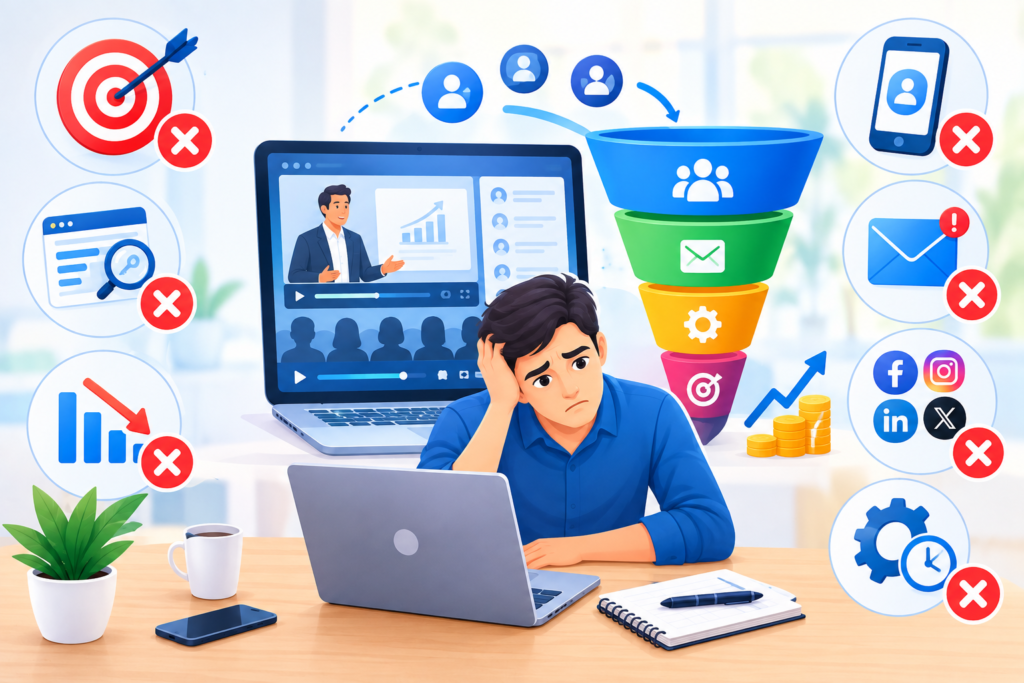
Webinar funnels can become complicated when businesses focus too heavily on tools, automation, or promotional tactics without first designing a clear customer journey. One common mistake is choosing a broad webinar topic that does not address a specific audience problem. A title such as “Grow Your Business Online” may attract attention, but it does not clearly explain what attendees will learn. A more focused topic gives the audience a better reason to register.
Another mistake is creating a registration page that contains too much information or too many competing actions. Visitors should be able to understand the webinar’s value and register without navigating through unrelated offers. Long forms can also create unnecessary friction when the extra information is not needed. The registration process should be designed around the information required for the webinar and the next stage of the funnel.
Poor follow-up is another frequent problem. Some businesses send a single confirmation email and then stop communicating. Others send a large number of promotional messages without providing useful information. A thoughtful follow-up sequence should help attendees access the content, understand the next step, and ask questions. It should also distinguish between people who attended, people who missed the event, and people who have already taken action.
Common Webinar Funnel Mistakes
Unclear webinar topic
The audience cannot easily understand what the presentation is about or why it matters.
Misleading promises
The marketing claims results or urgency that the business cannot honestly support.
Complicated registration
The form requests unnecessary information or the page contains distracting actions.
Weak presentation
The webinar does not deliver the educational value promised on the registration page.
No testing
Registration, email delivery, access links, or checkout are not tested before launch.
Ignoring audience fit
The funnel attracts visitors who are unlikely to benefit from the offered solution.
Businesses should also avoid treating every webinar as a guaranteed sales event. Some webinars are designed primarily for education, awareness, or relationship building. Others are designed to generate qualified leads or support a specific offer. The funnel should be evaluated according to its actual purpose.
Technical problems can also damage the experience. Broken registration forms, incorrect time zones, missing joining instructions, and replay links that do not work can reduce trust. A complete test before launch is an important part of implementation.
Finally, businesses should avoid search-engine manipulation tactics when creating supporting content. Google’s Spam Policies explain practices that can violate search guidelines. Helpful content, accurate information, and a clear audience focus should remain the priority.
A successful webinar funnel is built through clarity, useful content, reliable technology, and consistent improvement.
Best Practices Summary for Webinar Funnels
A webinar funnel works best when every stage supports the same audience and business objective. The promotional message should match the registration page. The registration page should match the webinar content. The webinar should match the follow-up offer. When these elements are connected, the audience receives a clearer experience and the business can more easily measure performance.
The first best practice is to start with the audience’s needs. Research the problems, goals, and questions that matter to the intended attendees. Choose a specific webinar topic and explain its value clearly. Avoid broad promises that are difficult to support. The presentation should provide useful education and realistic expectations.
The second best practice is to simplify the customer journey. The registration page should be clear, the form should request appropriate information, and the confirmation experience should explain what happens next. Email reminders should provide accurate details and help attendees prepare. The webinar should be easy to access, and the next action should be straightforward.
The third best practice is to measure and improve the funnel. Track registrations, attendance, engagement, and relevant business outcomes. Review the results regularly and make focused changes based on evidence. Test the technical experience before launch and continue checking it after the funnel is published.
Webinar Funnel Best Practices Checklist
- Define the target audience and its main problem.
- Choose a focused webinar topic.
- Create a clear value proposition.
- Build a simple registration page.
- Provide accurate event details.
- Send confirmation and reminder emails.
- Deliver useful educational content.
- Use a relevant and transparent offer.
- Create a helpful follow-up sequence.
- Track meaningful funnel metrics.
- Test registration, access, and email delivery.
- Improve the funnel based on evidence.
These practices provide a foundation for building a webinar funnel that is useful to the audience and measurable for the business.
FAQs
1. What is a webinar funnel?
A webinar funnel is a marketing and sales process that guides people from discovering a webinar to registering, attending, engaging with the presentation, and taking a relevant next step. It typically includes promotional content, a registration page, confirmation emails, reminders, the webinar itself, and follow-up communication.
The purpose is to create a connected customer journey rather than treat the webinar as a one-time event. The funnel should help the audience learn something useful and understand how to continue if they need additional help.
2. How do webinar funnels generate leads?
Webinar funnels generate leads when visitors provide their contact information through a registration form. The business can then communicate with those registrants about the event, provide access information, and deliver relevant follow-up content.
The quality of the leads depends on the audience attracted by the promotion, the clarity of the webinar topic, and the relevance of the next step. More registrations do not always mean more qualified leads.
3. What is the difference between a live webinar and an automated webinar?
A live webinar takes place at a scheduled time with a presenter and attendees participating together. It can support real-time questions, demonstrations, and discussion.
An automated webinar uses a recorded presentation delivered through a scheduled or on-demand experience. It can support flexible viewing and repeatable delivery. The business should communicate clearly whether the presentation is live, recorded, or hybrid.
4. What should a webinar registration page include?
A registration page should include a clear webinar title, a description of what attendees will learn, the intended audience, the date and time, the time zone, presenter information, and a registration form.
The page should also explain what happens after registration. If a replay or calendar option is available, that information should be accurate. The form should collect only the information needed for the next stage of the funnel.
5. How many emails should a webinar funnel send?
There is no universal number of emails that suits every webinar. A practical sequence may include a registration confirmation, one or more reminders, and follow-up messages after the event.
The timing should depend on the webinar format, audience expectations, and communication preferences. Emails should provide useful information and avoid unnecessary repetition.
6. What should happen after a webinar ends?
After the webinar, attendees may receive a thank-you message, replay access where available, a summary of key points, and information about a relevant next step.
The follow-up should be appropriate to the attendee’s experience. People who missed the webinar may receive different information from those who attended. Businesses should also provide a clear way to ask questions or request additional help.
7. How can a business improve webinar attendance?
Attendance can be supported by choosing a relevant topic, communicating the event details clearly, sending timely reminders, and making the joining process easy.
The business should also set accurate expectations about the webinar format. If the event is recorded or automated, that should be explained. Attendance should be evaluated alongside audience quality and downstream outcomes.
8. Which metrics should businesses track?
Useful metrics include landing page visitors, registrations, registration rate, attendance, attendance rate, engagement, replay views, qualified leads, consultation bookings, and purchases.
The exact metrics should reflect the purpose of the webinar. A business should define its measurements consistently and review the customer journey as a whole.
Want to Implement This Easily?
Prompt Text:
You are an expert consultant. Based on the blog post titled “(Webinar Funnels)”, provide a step-by-step, practical implementation guide. Include tools, best practices, common mistakes to avoid, and advanced tips. Assume the reader wants to implement everything discussed in this article effectively.
Call to Action:
Want our help implementing this? Just reach out to us via our website contact form: Website contact form .